THE PLAYBOOK · RUIQIWJ
How to play Chess Online
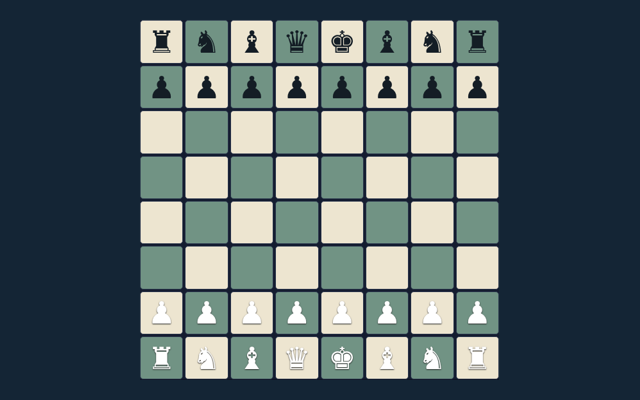
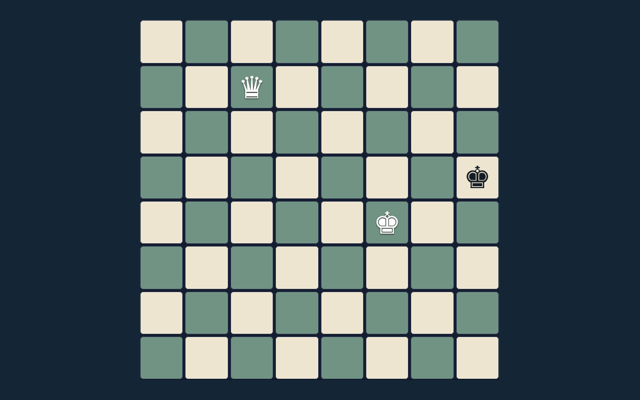
Take a moment with Chess Online before moving to another game. Checkmate the opposing king. Use the example below to understand a decision. Begin with the local / basic computer mode shown on the page. Keep the game area visible while you use its controls.
Play on one device with a friend or against the basic computer opponent. Repetition and the fifty-move rule trigger an automatic draw here; there is no internet matchmaking or tournament clock.
A useful comparison
Compare the worked example with your own position. Use the reasoning, not an answer copied from a different board. Use the example to check your reasoning.
Your goal
Checkmate the opposing king. The feedback beside the game helps you follow the round. The example below illustrates a decision.
Step by step
- Select local play or basic computer.
- Choose a piece and a legal target.
- Castling, en passant and promotion obey king-safety rules.
- Use the promotion selector before moving to the last rank.
- Undo or New game restarts play.
Controls
Tap a piece and target; choose a promotion piece when needed. Use the control method described here for this activity. Avoid pressing the same control repeatedly while a move is being processed.
A useful example
Castling cannot pass through an attacked square. Use the example as a guide rather than a substitute for reading your board. Consider the next action carefully.
Watch out for this
The computer is a small search opponent, not a rated engine. Check the rule before repeating the action. Take enough time to read a new position. If a game has a timer, learn its controls first rather than searching for them during the round.
Common questions
What is the goal of Chess Online?
The key detail is this: Checkmate the opposing king.
Before I begin, how do I control Chess Online?
Tap a piece and target; choose a promotion piece when needed.
While learning, what example helps explain Chess Online?
The key detail is this: Castling cannot pass through an attacked square.
While reading the Guide, what should I watch out for in Chess Online?
Keep this in mind: The computer is a small search opponent, not a rated engine.
For this browser game, what format does Chess Online offer?
Keep this in mind: Play on one device with a friend or against the basic computer opponent. Repetition and the fifty-move rule trigger an automatic draw here; there is no internet matchmaking or tournament clock.
Before I begin, which play mode does Chess Online use?
Here is the relevant explanation: The mode on this page is Local / basic computer. Same-device play uses one screen; this game library does not provide internet matchmaking.